Synthesis
EDAcation allows you to synthesize your design files, which is the process of converting your high-level design description (such as Verilog or VHDL) into a lower-level representation that can be implemented on hardware. The synthesis task will take your design files as input and produce a LUT file as output, which can be viewed directly in VSCode. The synthesis task must be executed before you can execute the place and route task, as it generates the necessary files for place and route to work.
Support Matrix
The synthesis feature uses Yosys as backend. This backend is supported on all platforms.
When working with VHDL designs, EDAcation uses GHDL as a preprocessor in combination with ghdl-yosys-plugin. These tools have limited platform support, which is reflected in the support matrix below.
| Feature | Windows (x64) | Linux (x64) | Linux (ARM) | MacOS (x64) | MacOS (Apple Silicon) | Web |
|---|---|---|---|---|---|---|
| Synthesis - (System)Verilog | ✅️ | ✅️ | ✅️ | ✅️ | ✅️ | ✅️ |
| Synthesis - VHDL | ✅️ | ✅️ | ✅️ | ❌️0 | ✅️ | ❌️0 |
| LUT Diagram Viewer | ✅️ | ✅️ | ✅️ | ✅️ | ✅️ | ✅️ |
0 The GHDL + ghdl-yosys-plugin combination is not supported on Intel-based Macs (x64). There is also no WebAssembly version of GHDL, meaning that it cannot be used in a web environment.
LUT Diagram (luts.yosys.json)
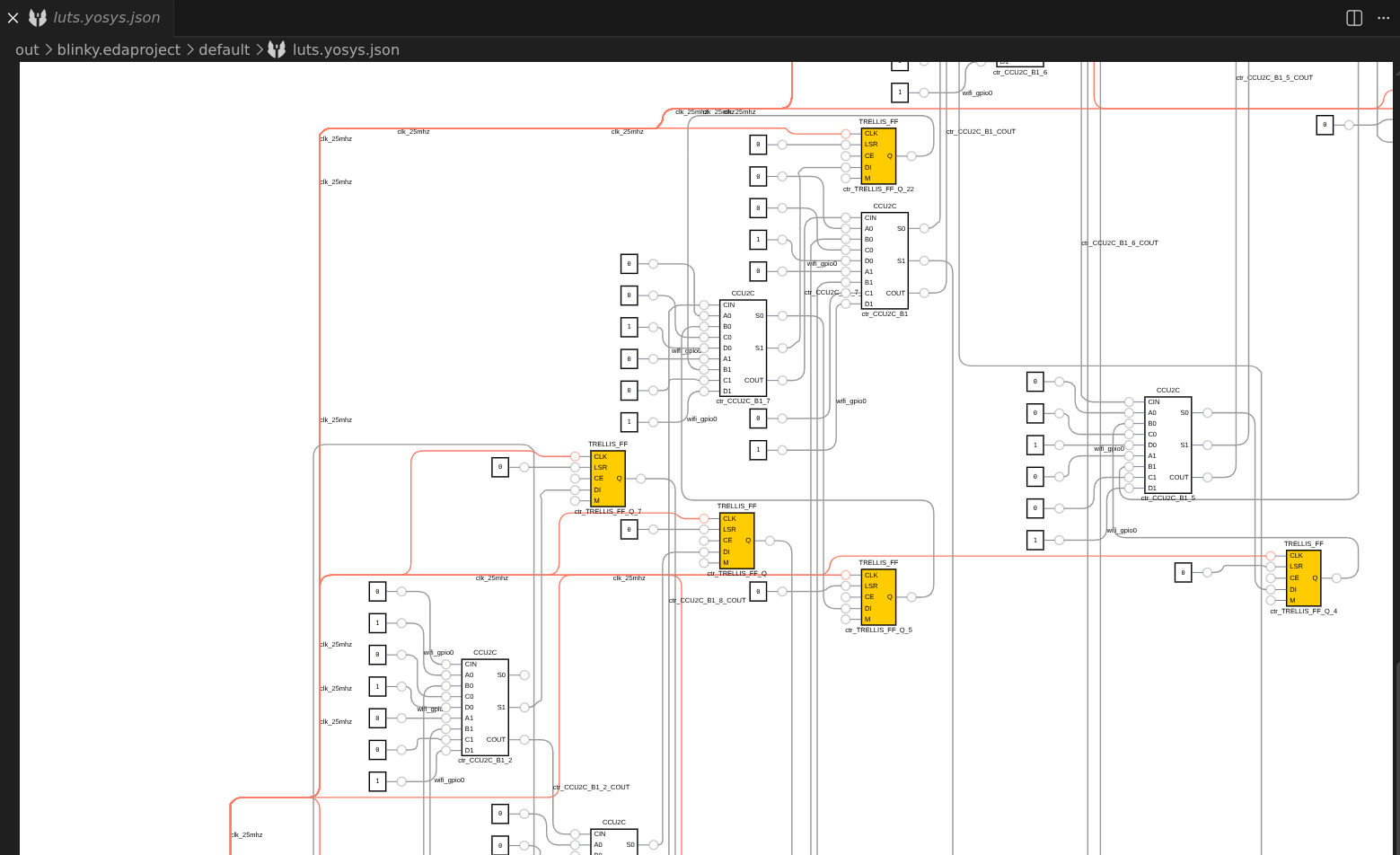
The synthesis task produces an output file named luts.yosys.json. EDAcation provides a built-in viewer for this file powered by DigitalJS. You can explore the generated LUT diagram directly in VSCode, and interact with the modules to see how your design behaves.
Note that the LUT diagram may be quite large and complex for bigger designs, so it may take some time to load and render in VSCode. Once it has loaded, you can zoom in and out using the buttons at the top or by using Control + mouse wheel. Panning is also supported by using the scroll bars or by using the mouse wheel. Simply scrolling will pan up or down, while holding shift and scrolling will pan left or right.