Place & Route
EDAcation allows you to perform place and route on your design files, which is the process of mapping your synthesized design onto the physical resources of the target FPGA. The place and route task will take the output from the synthesis task as input and produce a Nextpnr file as output, which can be viewed directly in VSCode. The place and route task must be executed after you have executed the synthesis task, as it relies on the output generated by synthesis.
Support Matrix
The place and route feature uses Nextpnr as backend. This backend is supported on all platforms.
| Feature | Windows (x64) | Linux (x64) | Linux (ARM) | MacOS (x64) | MacOS (Apple Silicon) | Web |
|---|---|---|---|---|---|---|
| Place & Route | ✅️ | ✅️ | ✅️ | ✅️ | ✅️ | ✅️ |
| FPGA Viewer | ✅️ | ✅️ | ✅️ | ✅️ | ✅️ | ✅️ |
Routing Diagram (routed.nextpnr.json)
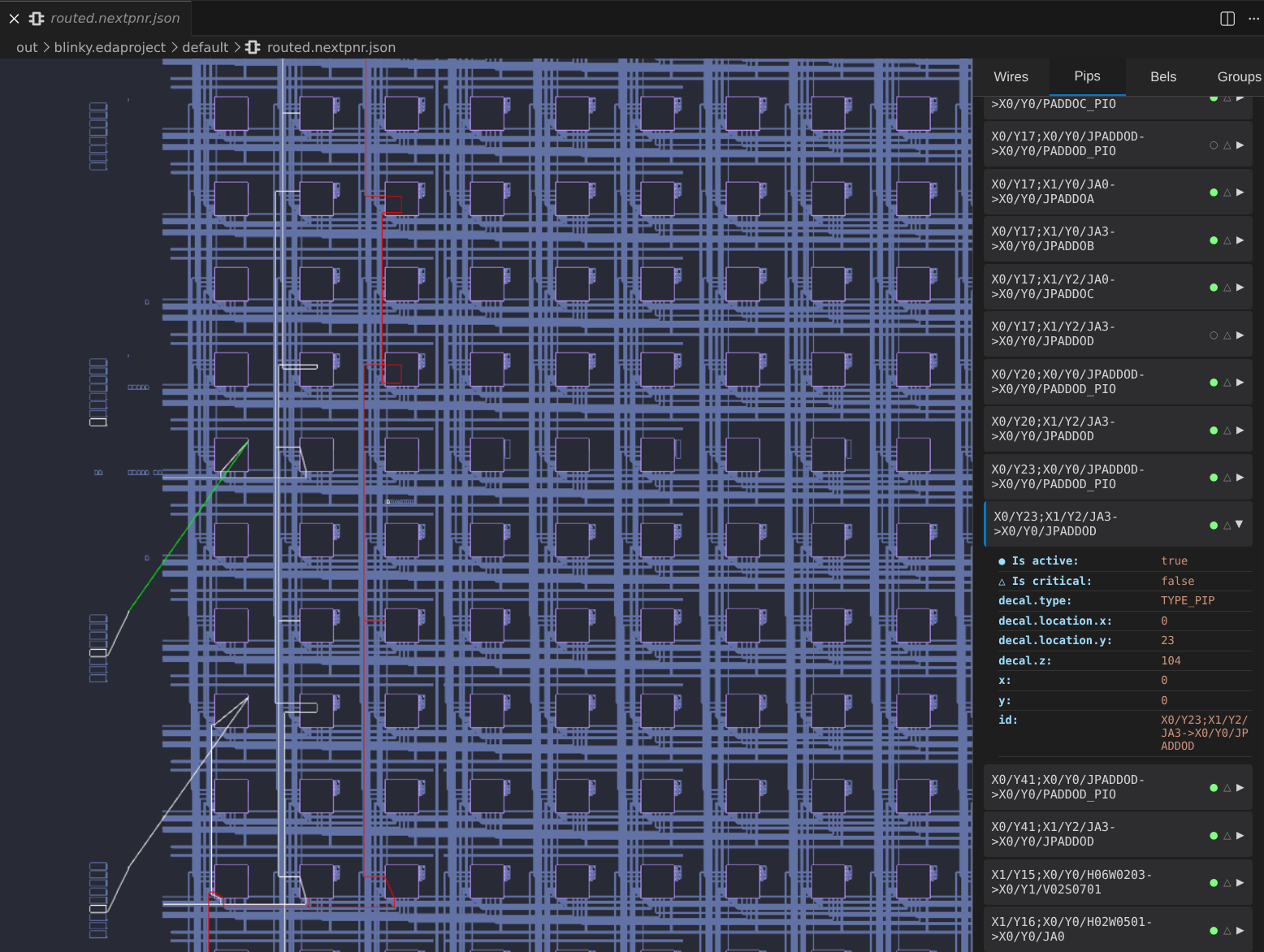
The place and route task produces an output file named routed.nextpnr.json. EDAcation provides a built-in viewer for this file powered by our own Nextpnr Viewer project. You can explore the generated routing diagram directly in VSCode, and interact with the modules to see how your design is mapped onto the FPGA resources.
We provide a dedicated website for the Nextpnr Viewer project which comes with more features and allows you to view your routing diagrams even outside of VSCode. You can access it at https://edacation.github.io/nextpnr-viewer/.
You can drag around the diagram to explore it, and click on the different components of the FPGA to see more information about them. Elements that are used in your design will be highlighted white. Additionally, wires that are part of the critical path will be highlighted red, allowing you to easily identify potential bottlenecks in your design.